
Ferret
Ferret is a general-purpose game engine for OS Beroun and ordinary web browsers, built on top of Babylon.js. Babylon gives rendering, the scene graph, loaders and audio. Ferret adds the game layer Babylon does not have: characters and their movement, collisions and triggers, animation graphs, NPC behaviour, transformations, interactables, zones, levels and level travel, UI, media, networking, and a family of realistic-physics capabilities.
The same game build runs as an OS Beroun app (its web engine, its app packages, its Platform API) and as a web page on a desktop or phone, on screens from the console's 640×480 up to 4K.
See it run: a duel with a Dragon#
The fight example (examples/fight) is a Viking against a Crusader Knight on a 1200 by 1200 m field of spruces, bushes and mountains, while Knight Lady Kira flies a Dragon that breathes fire over them. The fighters are played by the rules in @ferret/combat (blows, blocks, dodges, stamina, staggers, death), steered by an AI or by you; the Dragon is a flight model with its own AI. Everything is built from the asset library, and you can change who you are while it runs.
The rules, the Dragon and the controls are in the combat guide.
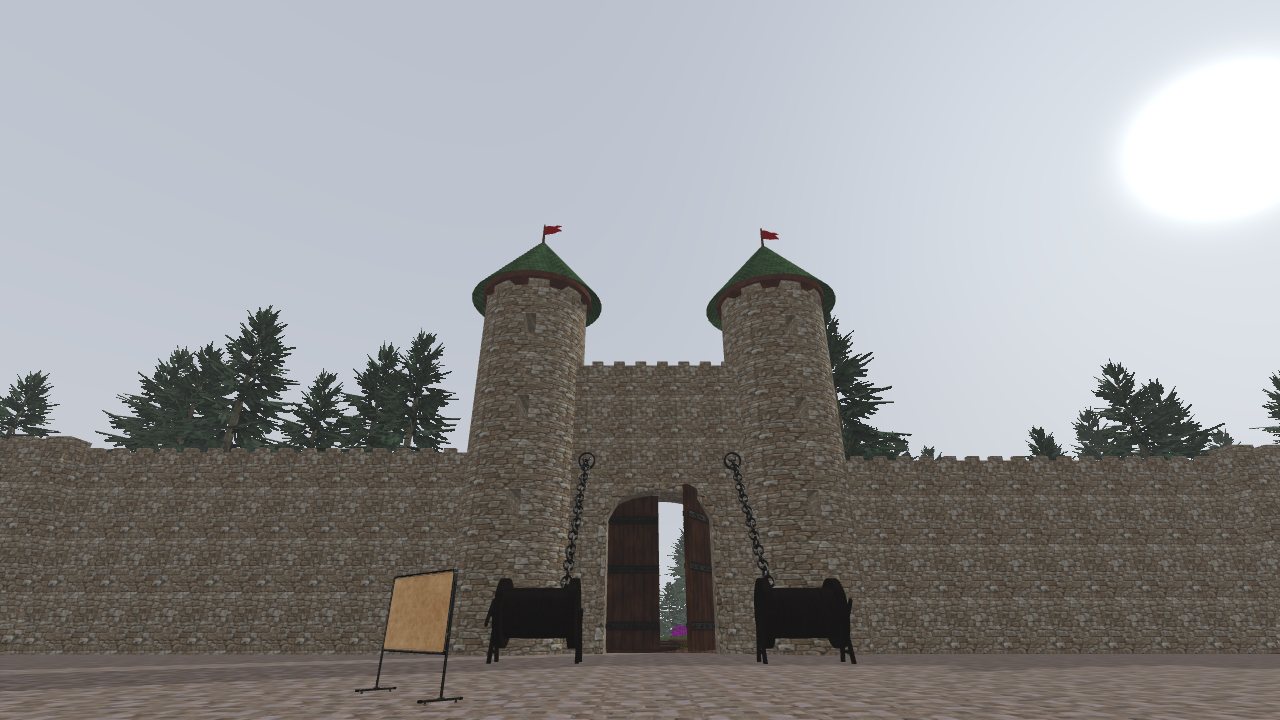
See it run: the school courtyard#
The School Outside example (examples/school-outside) is a level made in Unreal Engine 5 and brought over by Ferret's export pipeline: the castle courtyard with its towers, braziers and torches, walled in by collision that was built from the same scene. You walk it in first person with the original's movement values. The wooden door under the word SCHOOL is the one piece of game logic: step up to it and the player is hidden, the door's video plays on the doorway, the view blends to a cut-scene camera, the leaves open, and the player comes back at the start of the game.
The level package, the door behaviour and the rebuild steps are in examples/school-outside/README.md.
See it run: a five-speed gearbox#
The gearbox example (examples/gearbox) is generated from one file of numbers: 141 solid parts, checked for clashes, meshing and ratios, built into glTF models, then driven by Ferret's physics. Nothing in the picture is animated by hand: the shafts, free gears, sleeves, forks, the crown, the planets and the oil level move from the state of the machine, node by node. Below is a run through the demo, then the demo itself.
How it is made, the shift, the limits and the wear are in the gearbox guide; the files and the rebuild steps are in examples/gearbox/README.md.
What is in the box#
| Area | What you get | Where to read |
|---|---|---|
| Runtime | A fixed-step World, entities with components, services, an event bus, a debug command channel | The world |
| Platform | One interface over OS Beroun and the browser: saved state, suspend, exit, screen, quality tiers | Platform and display |
| Input and UI | Actions instead of devices; a responsive HTML overlay | Input and UI |
| Gameplay | Characters, animation graphs with random motion, NavMesh AI, interactables, zones, transformations (also by a record shared between players) | Gameplay packages |
| Content | Levels as folders and .ferret packages with a validated manifest; packages that carry code and run it on demand | Levels and packages |
| Streaming | Levels and assets over HTTPS: catalogs, a persistent cache, cells that follow the camera, transitions a game defines | Streaming and catalogs, Writing a transition |
| Networking | Replication over interchangeable transports, remote avatars, shared named records, gateways to a game's backend | Networking |
| Physics | Two rigid-body kernels and sixteen capabilities that add realism only where a game switches it on, down to a transaxle with synchronisers, oil, heat and wear | Physics overview, Gearbox |
| Presentation | Cutaway section planes with hatched caps, frame-exact capture to WebM or PNG, reflective environments for metal | Gameplay packages |
| Tools | Unreal Engine 5 export pipeline (levels, characters, clips, animation blueprints, look and parity checks), a model viewer, the level editor commands, agent skills | Tools, Agent skills |
Where Ferret runs#
| Target | Web engine | Input |
|---|---|---|
| OS Beroun on the console | WPE WebKit, WebGL2 | cursor, A, B, D-pad and sticks |
| OS Beroun on Android | the system WebView (Chromium 110 or newer) | the device's keys, pad, touch |
| Desktop browsers | their own, WebGL2 (WebGPU where present) | keyboard and mouse with Pointer Lock, gamepad |
| Mobile browsers | their own, WebGL2 | touch with virtual sticks, gamepad |
WebGL2 is the baseline renderer everywhere; nothing in Ferret depends on WebGPU. There is no mouse or Pointer Lock on the console, so games bind actions, and the engine maps devices to them.
How the pieces depend on each other#
Dependencies point one way. A game takes only what it needs; a single-player game never loads net.
core, platform
   ← assets, physics, input
      ← character, animation, ai
         ← transform, interaction, zones
            ← levels, ui, media, net
The physics capabilities sit on top of physics and are independent of each other. Where one capability's output is another's input, a small link in physics-links moves it, so no capability knows about the others.
Where to read next#
New here: Getting started, then The world. An overview to show others: the presentation (PDF). Looking for something specific: the API reference lists every export of every package with its signature, and / searches guides and API together.